

Having spent over 25 years immersed in Linux and Unix administration, I’ve lived through the evolution of system tools, protocols, and workflows. SSH has been the lifeline of remote management, and over the decades I’ve experimented with what feels like an uncountable number of SSH clients. Each promised to be the “perfect” solution, yet most fell short in one way or another.
Navigating a Cross-Platform Reality
My daily workflow spans Windows, macOS, and Linux. This cross-platform existence has pushed me to evaluate SSH clients not just on raw functionality, but on their ability to integrate seamlessly across diverse operating systems. A truly great client must be reliable, intuitive, and consistent — no matter which machine I’m working from.
The Ongoing Search for the Ideal Tool
From minimalist command-line utilities to feature-rich graphical clients, I’ve tested them all. Some excelled in speed, others in session management, and a few offered innovative features that briefly caught my attention. But none truly felt like the “one” — until I settled on two that consistently deliver what I need.
My Choice: SecureCRT and Trilix
After years of trial and error, my favorites are SecureCRT and Trilix.
SecureCRT stands out for its professional-grade reliability, advanced session management, and robust security features. It’s a powerhouse for administrators who demand stability and precision.
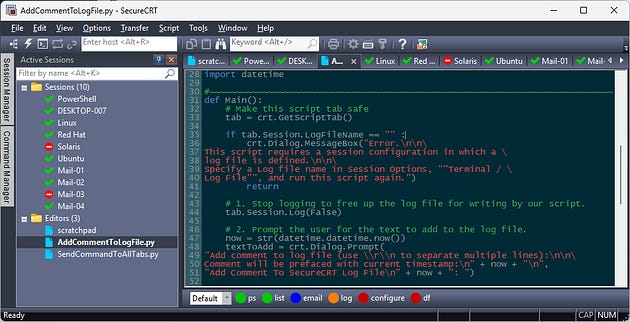
Trilix, on the other hand, offers a modern, streamlined experience that balances usability with flexibility. It’s lightweight yet powerful, making it a joy to use across platforms.
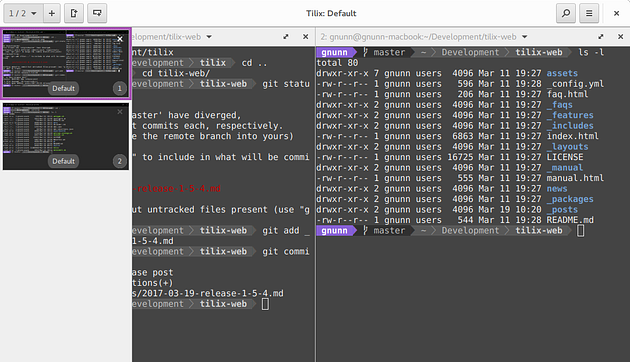
Together, they cover the full spectrum of my SSH needs — from heavy-duty administration tasks to quick, everyday connections.
SecureCRT
Professional-grade reliability: After 25+ years in Linux/Unix administration, stability is non-negotiable. SecureCRT is known for its rock-solid connections and enterprise-level security.
Advanced session management: It handles dozens (or hundreds) of simultaneous sessions with ease, letting you organize, script, and automate workflows.
Cross-platform consistency: Works smoothly across Windows, macOS, and Linux, which matches your daily multi-OS usage.
Customization & scripting: Its support for Python and VBScript means you can tailor it to your exact workflow.
Trilix
Lightweight and modern: Trilix offers a streamlined, fast experience without the heavy overhead of some older clients.
Cross-platform usability: Like SecureCRT, it runs well on Windows, macOS, and Linux, making it a natural fit for your daily environment.
User-friendly design: It balances simplicity with flexibility, so you can jump into quick connections without sacrificing advanced features.
Complementary to SecureCRT: Where SecureCRT is heavy-duty and enterprise-focused, Trilix is nimble and efficient — perfect for everyday tasks.
Why I Use Both
After trying countless SSH clients, I’ve learned that no single tool can cover every scenario. SecureCRT gives me the depth and power needed for complex administrative work, while Trilix offers the speed and simplicity required for everyday cross-platform tasks. Together, they form a toolkit that reflects decades of experience and the flexibility to move seamlessly between Windows, macOS, and Linux.